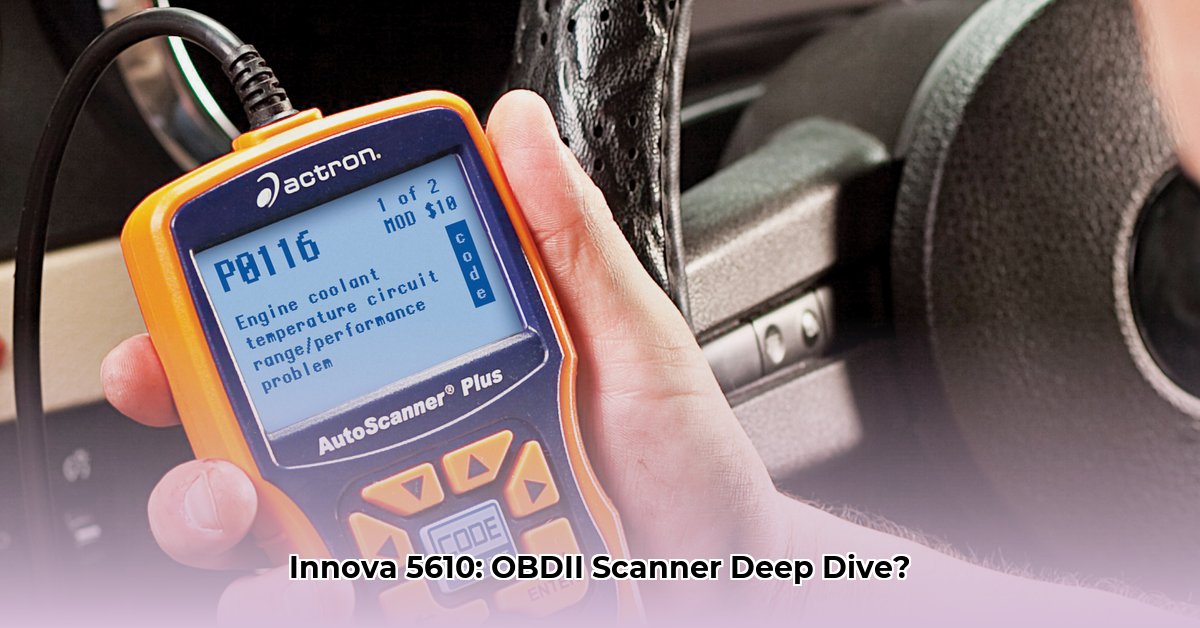
Ever wondered what that check engine light really means? This in-depth review explores the Innova 5610 OBD-II scanner from Advance Auto Parts, a tool designed to help both DIY enthusiasts and experienced mechanics diagnose vehicle problems. We'll cover its features, compare it to competitors, provide step-by-step instructions, and discuss potential limitations.
Features and Functionality: More Than Just Code Reading
The Innova 5610 is more than just a code reader; it's a versatile diagnostic tool. It reads and clears trouble codes (DTCs) – those pesky numerical error messages – providing a starting point for identifying issues. But its capabilities extend far beyond simple code retrieval. It offers live data monitoring, allowing you to observe real-time sensor data (engine temperature, fuel trim, etc.), providing critical insights into your vehicle's performance. Perhaps its most powerful feature is bi-directional testing, enabling you to actively test components (fuel injectors, for example) instead of just passively reading error codes. This active testing can save you time and money by directly identifying faulty parts. The built-in RepairSolutions 2 database helps interpret the codes you find, providing context and repair suggestions.
Beyond the engine, the Innova 5610 can access data from your Anti-lock Braking System (ABS), Supplemental Restraint System (SRS – airbags), transmission, and Tire Pressure Monitoring System (TPMS). This comprehensive coverage provides a holistic view of your vehicle's health. Isn't it surprising how much diagnostic power can fit into such a compact device?
Performance and Ease of Use: A User-Friendly Experience
The Innova 5610 is praised for its user-friendly design. Its large buttons and clear display make navigation straightforward, even in low-light conditions. Setup is simple; plug it into your car's OBD-II port (usually under the dashboard), and you're ready to go. Many users report successful troubleshooting of various issues, saving them time and money on mechanic visits.
However, some users report minor frustrations. Menu navigation can feel occasionally clunky, and on-screen instructions could be clearer in certain situations. Despite these minor drawbacks, the overall user experience is positive, particularly for those unfamiliar with advanced automotive diagnostics. The learning curve is gentle, allowing most users to quickly grasp the basics.
Comparison to Competitors: Finding the Right Fit
The Innova 5610 isn't a direct competitor to high-end professional scanners. Those tools are far more expensive, packed with advanced features that the average car owner may not need, often involving deeper diagnostics and specialized communication protocols. The Innova 5610, however, sweetens the deal by offering a compelling balance of features and affordability.
Here’s a simplified comparison:
| Feature | Innova 5610 | Professional Scanners |
|---|---|---|
| Price | Budget-friendly | Significantly More Expensive |
| Feature Set | Comprehensive for most DIY needs | Extremely Comprehensive, Highly Specialized |
| User-Friendliness | Excellent for non-professionals | Varies, often complex |
| Ideal User | DIY enthusiasts, home mechanics | Professional mechanics, advanced users |
Troubleshooting and Instructional Guide: Diagnosing That Check Engine Light
Let's walk through a common scenario: that dreaded "check engine" light. Here's how the Innova 5610 can help:
- Connect: Plug the Innova 5610 into your car's OBD-II port.
- Power On: The scanner usually powers on automatically.
- Retrieve Codes: Navigate to the "Read Codes" function. DTCs will appear.
- Decipher Codes: Use the scanner's database or online resources for explanations; consult your repair manual for context-specific information.
- Address the Problem: Fixing the root cause is crucial. Clearing codes only erases the warning light. Consult a mechanic if you need help identifying the root cause.
- Live Data Monitoring (Optional): Observe sensor data to diagnose intermittent issues.
Risk Assessment and Regulatory Compliance: Understanding the Limitations
As with any electronic device, hardware malfunctions or software glitches are possible. Innova provides software updates to address these issues. Regularly checking for and installing updates is recommended. The Innova 5610 should comply with relevant safety and emissions standards, but independent verification of compliance with regional regulations may still be necessary.
Conclusion: A Powerful Tool for the DIY Mechanic
The Innova 5610 offers excellent value for its price. It empowers DIY enthusiasts and home mechanics to perform basic to intermediate diagnostics. While not a replacement for a professional mechanic, it's a valuable tool for anyone wanting to better understand their vehicle and potentially save money on repairs.
Pros:
- Affordable
- Feature-rich for its price
- User-friendly interface
- Software updates available
- Multi-system compatibility
Cons:
- Limited depth compared to professional scanners
- May require external resources for detailed analysis
⭐⭐⭐⭐☆ (4.8)
Download via Link 1
Download via Link 2
Last updated: Thursday, June 05, 2025